
AI Crawler Access: The Technical GEO Checklist Most Sites Miss
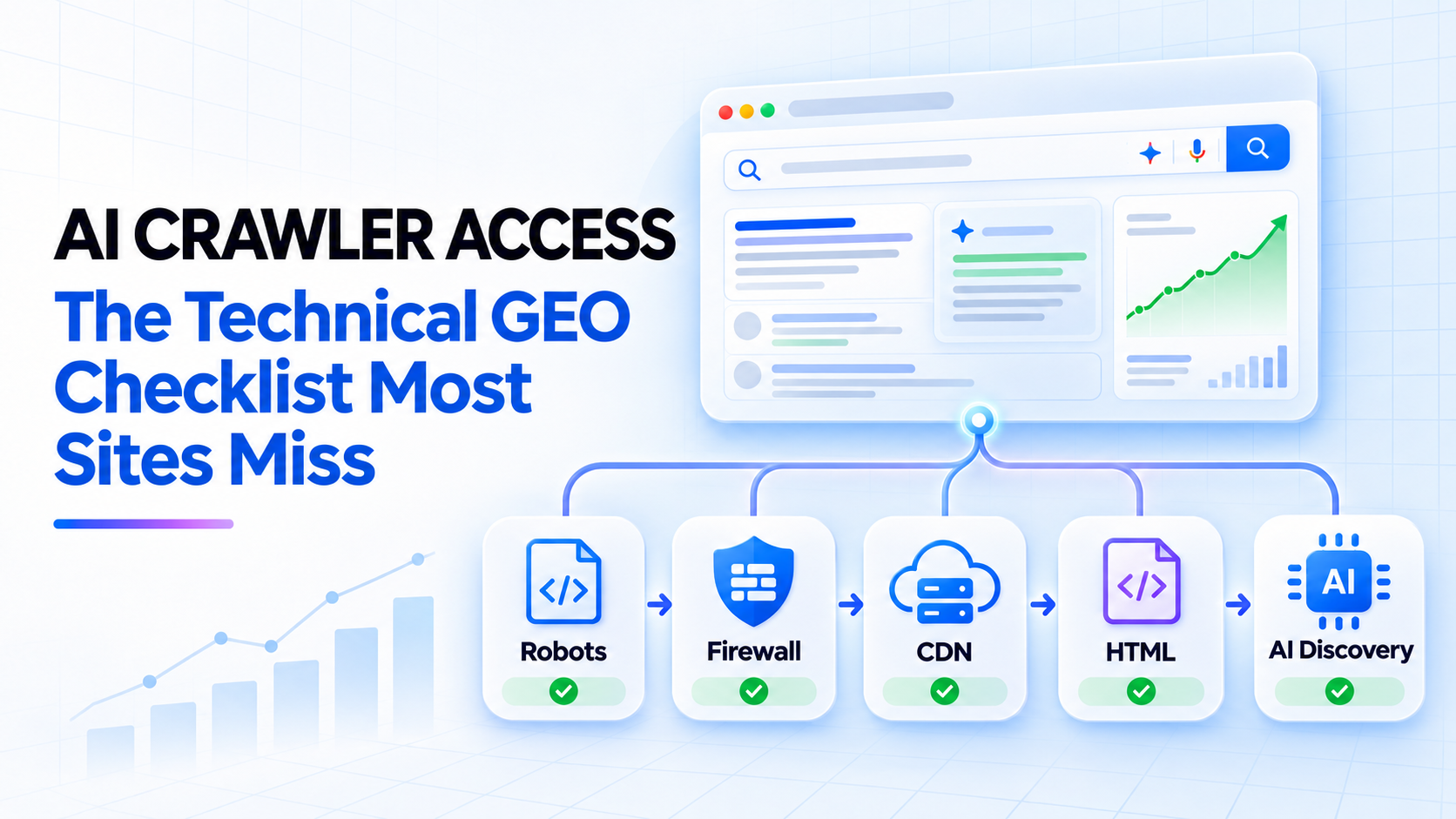
AI visibility starts before content quality: the crawler has to reach the page. A strong article can still disappear from search and answer engines when robots.txt, a CDN, a web application firewall, a login wall, or a JavaScript challenge blocks automated access.
This creates a common blind spot. Marketing teams improve headings and citations while the infrastructure quietly returns a 403, 429, challenge page, or incomplete HTML to the systems expected to discover the content.
The practical rule: crawler permission is a chain, not a checkbox. Robots.txt can allow a bot while the firewall blocks it. A page can return 200 while serving an empty shell. Every layer must work.
What AI crawler access actually means
“AI crawler” is not one universal bot. Providers use different user agents for different purposes, and those purposes should not be treated as interchangeable.
OpenAI documents three relevant categories. OAI-SearchBot supports inclusion in ChatGPT search results. GPTBot is associated with content that may be used to improve generative AI foundation models. ChatGPT-User can visit a page in response to a user action and is not the automatic search crawler.
Google makes a similar distinction. Googlebot controls crawling for Google Search, including its generative search features. Google-Extended is a separate control for certain Gemini training and grounding uses, and Google states that it does not affect inclusion or ranking in Google Search.
This separation matters because a publisher may want search discovery without allowing every form of model training. A single blanket rule for “all AI bots” can block useful discovery or allow more use than intended.
Robots.txt is the first gate, not the last
A robots.txt file communicates which paths compliant crawlers may access. It is useful for managing crawling, but it is not an authentication system and it does not override infrastructure blocks.
A simple policy that allows search discovery while declining OpenAI training might look like this:
User-agent: OAI-SearchBot
Allow: /

User-agent: GPTBot
Disallow: /
For Google Search, eligibility for AI features still depends on Googlebot being able to crawl the page and on the page being indexable and eligible for a snippet. Blocking Googlebot blocks the underlying search access that generative features use.
Do not use robots.txt as a reliable way to keep confidential content private. Google explicitly notes that a blocked URL may still be discovered through links. Private material belongs behind authentication or another real access control.
The five gates every page must pass
1. Discovery
The crawler needs a path to the URL. Internal links, XML sitemaps, external links, and update protocols help systems find new or changed pages.
- Include canonical, indexable URLs in the XML sitemap.
- Link new articles from the blog index and relevant older articles.
- Avoid orphan pages that exist only in the CMS.
- Use IndexNow where appropriate to notify participating engines of additions, updates, and removals.
Bing says IndexNow helps keep information fresh across both search and AI experiences. It improves notification speed; it does not guarantee crawling, indexing, ranking, or citation.
2. Permission
The bot must be allowed by the robots.txt group that matches its user agent. Review the final deployed file, not only the repository source. Hosting platforms, SEO plugins, and reverse proxies can generate or replace robots.txt.
- Check the exact user-agent token and path.
- Look for a broad
User-agent: *rule that conflicts with a specific group. - Test subdomains separately because each host has its own robots.txt.
- Confirm that CSS, JavaScript, and images needed to understand the page are not unintentionally blocked.
3. Network access
The request then passes through DNS, a CDN, a firewall, bot management, rate limiting, geo rules, and sometimes a hosting platform. Any layer can deny the request even when robots.txt says “Allow.”
OpenAI recommends allowing OAI-SearchBot and checking its published IP ranges. It also warns that a browser working normally does not prove the crawler receives the same response. A WAF may return 403, a CAPTCHA, or a browser challenge only to automated traffic.
Do not trust a user-agent string alone. It can be spoofed. Where security matters, validate provider-published IP ranges or a CDN’s verified-bot mechanism, then apply a deliberate policy.
4. A usable response
A successful connection is not enough. The crawler needs the intended content.
| Response | Likely problem | What to inspect |
|---|---|---|
| 403 | Firewall, geo rule, bot protection | WAF events, verified-bot rules, redirect hosts |
| 429 | Rate limit | Bot thresholds, burst rules, origin capacity |
| 200 with login page | Authentication or session gate | Response body, cookies, middleware |
| 200 with empty shell | Rendering failure | Server-rendered HTML, blocked scripts, hydration errors |
| 3xx chain | Redirect complexity | Every hop, protocol, host, and final canonical URL |
| Soft 404 | Error content served with 200 | Main content, template state, database response |
Google’s minimum technical requirements include an accessible Googlebot, an HTTP 200 response, and indexable content. These are eligibility requirements, not guarantees of indexing or visibility.
5. Interpretability
After access succeeds, the page still needs to be understandable. Server-rendered or statically generated main content gives crawlers a dependable first response. Clear HTML headings, descriptive links, meaningful alt text, and consistent entity names help humans, search engines, and assistive technologies interpret the page.
Google’s generative AI guidance says websites do not need special AI files or AI-only markup to appear in Google Search. Core technical SEO remains the foundation. That means a new file such as llms.txt should not be treated as a substitute for crawlability, indexability, internal links, and useful content.
How WAF and CDN rules create invisible GEO failures
Security tools make decisions using signals such as IP reputation, request rate, headers, geography, JavaScript execution, cookies, and traffic patterns. Legitimate crawlers can resemble unwanted automation unless the rules identify them correctly.
Typical failure patterns include:
- A country allowlist blocks a crawler’s data center.
- A “challenge all bots” rule requires JavaScript or a cookie.
- A rate limit designed for scrapers returns 429 during normal crawling.
- The HTML is allowed, but the image host or asset subdomain is blocked.
- A redirect sends bots to a different host with stricter rules.
- A verified crawler is allowed at the CDN but rejected by the origin server.
The correct fix is not to disable security globally. Create narrow, auditable rules for verified crawlers that serve a business purpose. Log the requests, review them periodically, and keep training choices separate from search-discovery choices.
Caching deserves a separate check. A CDN may cache a challenge page, an error response, or an outdated robots.txt rule after the underlying configuration changes. Purge the affected cache deliberately, then test from the edge and the origin. Record the response headers so the team can see which layer served the result. Without this step, a correct origin configuration can appear broken for hours, while an apparently fixed edge response can hide an unresolved origin rule.
A practical AI crawler audit
- Define the policy. Decide separately whether the site should appear in search answers, allow training crawlers, and support user-triggered agent visits.
- Inventory the user agents. Use current provider documentation. Do not copy an old crawler list from a random SEO post.
- Read the live robots.txt. Test the production domain and every content subdomain.
- Verify the status code and body. Inspect redirects and confirm that the response contains the real main content.
- Review CDN and WAF logs. Search for 403, 429, challenges, and bot-rule matches.
- Validate identity. Compare requests with published IP ranges or verified-bot signals instead of trusting the user agent alone.
- Check rendering. Confirm that blocked assets or client-side failures do not hide the article.
- Test discovery. Check the sitemap, internal links, canonical tag, and indexing tools.
- Monitor after deployment. Security and hosting changes can reintroduce the block.
What to measure after access is fixed
Crawler access creates eligibility, not guaranteed traffic or citations. Measure the next stages separately:
- Crawl requests and response codes by verified bot
- Index coverage and URL inspection results
- Search impressions, clicks, and AI-feature visibility
- Referral sessions from AI search products
- Brand searches, assisted conversions, and qualified leads
OpenAI states that ChatGPT referral links include utm_source=chatgpt.com, which can help analytics systems identify inbound search traffic. As with all attribution, treat this as one signal rather than a complete customer journey.
The policy decision should be explicit
Allowing search discovery and allowing training are different choices. Document who owns each decision: marketing, legal, security, or product. Record the reason for each rule and the date it was reviewed.
A good policy is specific enough to express intent and simple enough to maintain. A good implementation then confirms that robots.txt, the CDN, the WAF, the origin, rendering, and indexing all agree with that intent.
Technical GEO is not a magic layer added after SEO. It begins with the same basic question as search has always asked: can the system reliably discover, access, understand, and trust the page?
Related reading
- Zero-Click Search in the AI Era: What SEO Should Measure Beyond Traffic
- AI for SEO: A Practical Workflow That Keeps Humans in Control
- Using AI for SEO and GEO: How Agent Skills Become a Website Growth System
- How Next.js Improves Technical SEO Performance
Primary sources
- OpenAI: Overview of OpenAI crawlers
- OpenAI: Publishers and Developers FAQ
- Google: AI features and your website
- Google: Common crawlers and Google-Extended
- Google Search technical requirements
- Google: Optimizing for generative AI features
- Bing: AI Performance and IndexNow
Editorial note: AI assisted with research organization and drafting. The article was reviewed against the linked primary documentation before publication.